
Folders can be deleted by means of:
-
the desktop view of the web application (in other words: in your browser),
-
via WebDAV and with the help of
-
the edu-sharin app.
The recycle bin of the workspace provides a tool for restoring and permanently deleting folders.
on this page:
Deleting folders in the Workspace or using the app
Folders can be deleted individually or in bulk.
Deleting single folders
Select the folder you would like to delete in the content pane. Click / tap the button for the context menu Unknown Attachment in the corresponding row and select "Delete".
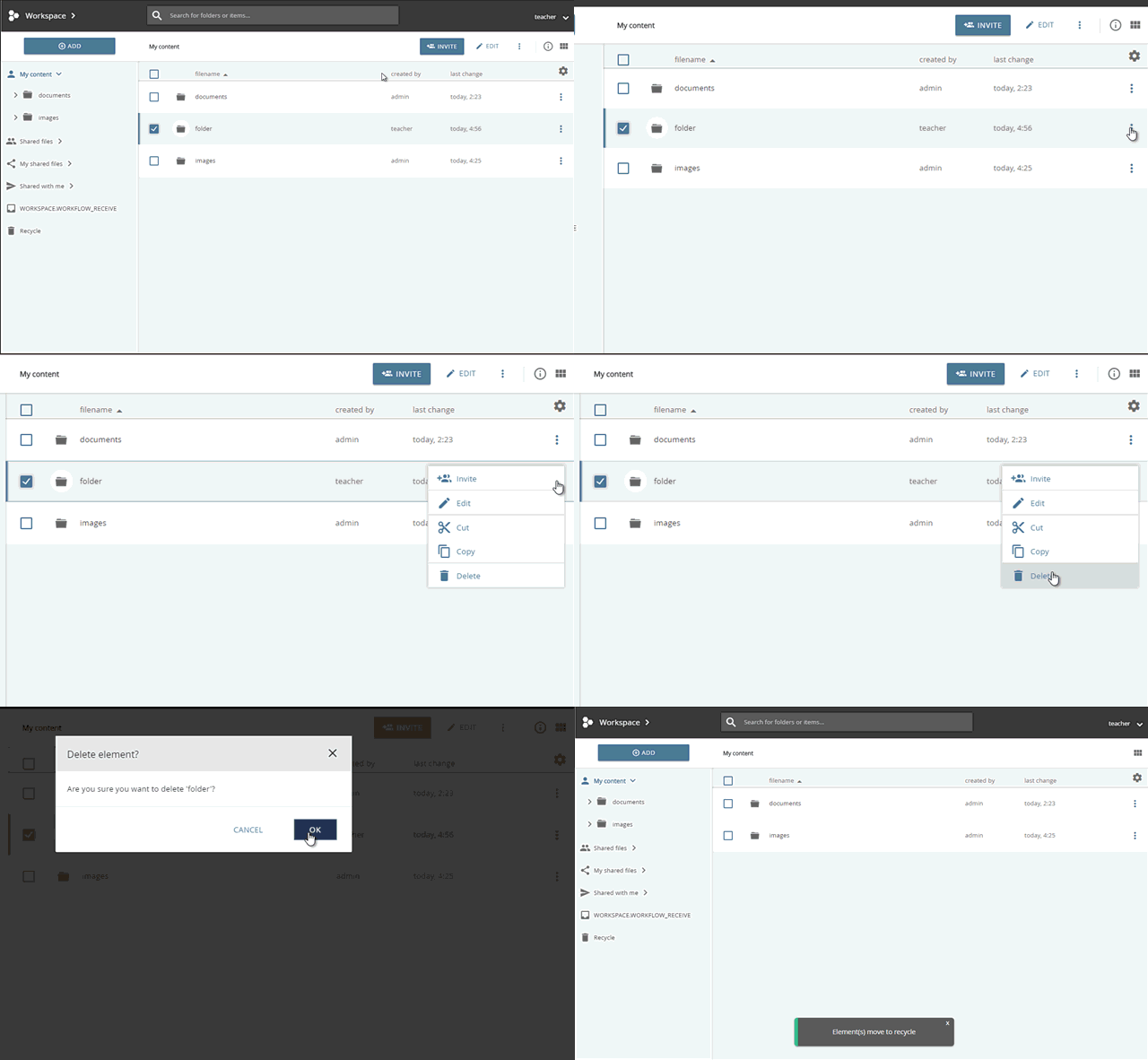
deleting a folder
The folder is moved to the Recycle Bin where it can be restored or deleted permanently.
Deleting several folders in the repository
Select the desired folder in the content pane. To do so check the boxes on the left side of the corresponding rows. To select all folder in the current folder check the box above the content pane. Use the “Delete” option in the context menu above the content pane.
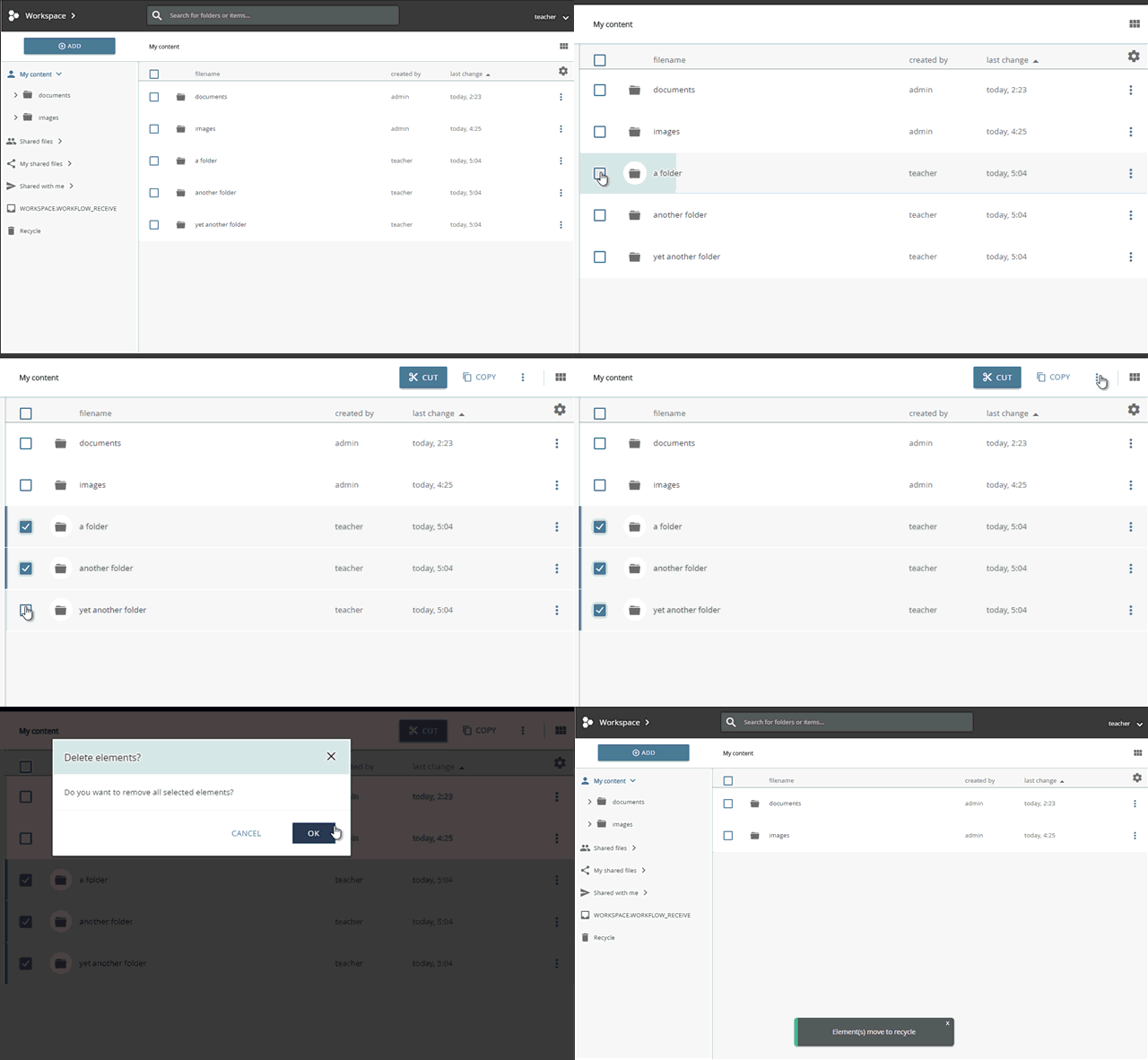
deleting several folders
The folders are moved to the Recycle Bin where they can be restored or deleted permanently.
Deleting Folders via WebDAV
Connect your Computer or mobile device to edu-sharing via WebDAV. Navigate to the folder containing the folder you would like to delete by means of the Windows Explorer, Mac Finder or an App of your choice.
Delete the folder.